Drop a PNG, JPG or WebP image, or a photo of a drawing, onto the canvas.
Start with the automatic result. Choose Color image, Black & white or Single-line drawing to match the look you want.
Compare the result with your original. Use More detail if small marks disappear, or Simpler to reduce small shapes and lines. Advanced settings explain each change; Undo restores the previous result.
Download SVG, or open Other formats for DXF, EPS or PDF. Use the result for a laser or pen plotter when you need G-code. For multiple files, pick a ZIP format and export them together.
What people use it for
Turning a logo or sketch into clean, editable vector paths for print or cutting.
Rebuilding a logo that only survives as a small, re-compressed JPEG from a website.
Preparing cut outlines for a Cricut, Silhouette, or laser cutter.
Generating a toolpath for a GRBL laser engraver or pen plotter straight from an image.
Good to know
Resolution matters more than compression. Across a 67-case benchmark, heavy JPEG artefacts barely moved the result, but a line drawing that is only about 96 px across has strokes near one pixel wide and cannot be traced reliably. Scan or export it larger if you can.
Colour mode works to a palette budget. Artwork with more distinct colours than the budget will have the closest ones merged; raise the colour count if a shade you need has disappeared.
An area enclosed by a thin outline is treated as a hole and left transparent. An area enclosed by a solid field is treated as a drawn shape and kept: because from pixels alone the pale middle of a two-tone logo and an open ring interior look identical, and only one of them should be removed.
G-code output uses the machine profile you pick; always dry-run or preview the toolpath before cutting real material.
Frequently asked questions
Does my image get uploaded anywhere?
No. The vectorizer runs entirely in your browser using canvas and WebAssembly: the image never leaves your device, so there is nothing to upload and nothing stored on a server.
Will a compressed JPEG logo still trace cleanly?
Usually yes. Compression noise is removed before the outline is fitted, so a logo saved at low JPEG quality still comes back as a small number of clean paths rather than a speckled one. Low resolution hurts far more than low quality: a small image has less shape to recover, whatever its file size.
What happens to the hole in a ring or a letter like 'o'?
It stays transparent. Background removal does not stop at the outer edge of the artwork: an area shut in by a thin outline is opened as well, and nested outlines are unwrapped one ring at a time, so a target, a frame or a counter does not come back filled with white.
Why do my thin lines survive here but disappear in other tracers?
Because the cleanup is sized to the artwork. Speckle filtering is what makes a filled logo crisp, but the same filter is wider than the strokes of a drawing and erases it. The tool measures stroke thickness first and scales the cleanup to it, so line art keeps its strokes instead of arriving as dashes.
How do Black & white and Single-line drawing differ?
Black & white turns light or dark areas into filled shapes. Single-line drawing can trace photo outlines or the middle of pen strokes. Photos with busy textures can create extra lines; compare the preview before exporting for a machine.
Can I edit the SVG afterwards?
Yes. The exported SVG is standard vector geometry you can open and edit in Inkscape, Illustrator, or any SVG editor.
Is this a free alternative to Inkscape Trace Bitmap or Illustrator Image Trace?
For tracing, yes: it runs in the browser with no install, account or watermark, and the SVG opens in Inkscape or Illustrator for further editing. It does not replace a vector editor for drawing or layout work.
Can I engrave a logo with a laser?
Yes. Pick Laser engraving: a filled logo is engraved line by line at 0.1 mm spacing and its edge is traced last, the way laser software engraves fills. Line drawings and handwriting are engraved as single lines instead. Turn off Fill shapes in the machine settings to cut the shape out.

 Before
 After
After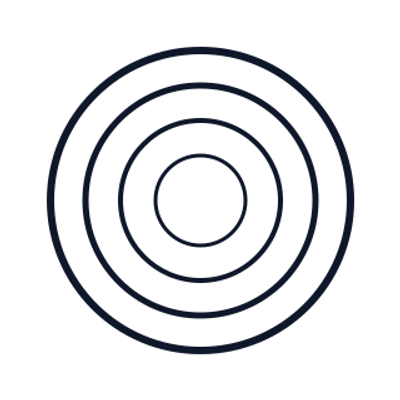 Before
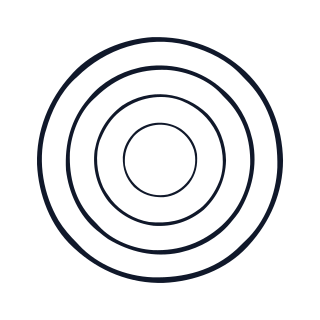 After
After Before
 After
After