Image to G-code for Laser Engraving - Free Local Vectorizer
Image to G-code for Laser Engraving free in your browser, for laser engraving, GRBL previews, and path-based machine output. Local tracing, no uploads.
Turn an image into editable shapes and lines.
Upload a logo, pattern or drawing. Check the result, then download it for design, cutting or engraving.
- 1. Upload your image
- 2. Check the drawing
- 3. Download the file
Drop PNG, JPG or WebP images here to convert them to G-code
Your file never leaves your device · No signup · No daily limit
Up to 100 MB per file
Other vectorizers vs Sticraft
- Usage or download limits may applyFree, no daily limit
- An account or payment may be requiredDownload every result, no account
- Fewer export formats may be availableSVG, DXF, PDF, EPS and G-code
- Images may need to be uploadedYour image never leaves your device
What comes out
Three real results from this tool, measured. Nothing here was retouched.


A logo saved as a low-quality JPEG
Compression artefacts do not survive the trace: the result is two clean paths.
- paths
- 2
- SVG
- 7.4 KB
- edge accuracy
- 1.00

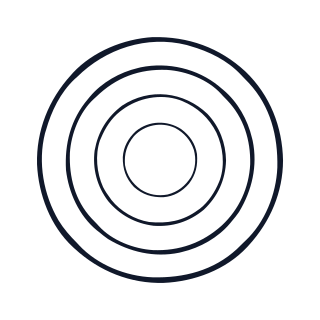
Outlined artwork
The gaps between rings stay see-through instead of filling with white.
- paths
- 4
- SVG
- 3.6 KB
- edge accuracy
- 1.00
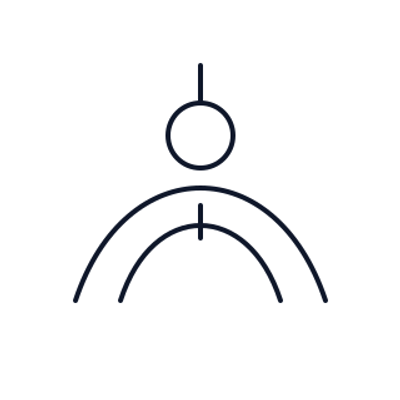
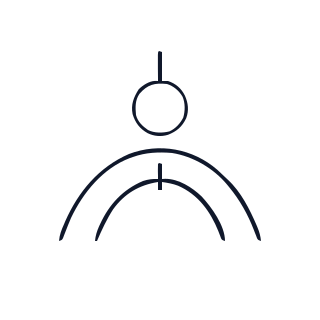
A line drawing
Thin strokes are kept whole rather than cleaned away as specks.
- paths
- 3
- SVG
- 2.4 KB
- edge accuracy
- 1.00
Edge accuracy compares the traced outline against the original within a 2-pixel tolerance; 1.00 is an exact match.
Related tools
How to use
- Upload your PNG, JPG, WebP, or SVG image. It stays inside your browser and is never sent to a server.
- Start with presets tuned for laser engraving, GRBL previews, and path-based machine output, then adjust threshold, smoothing, cleanup, and export settings.
- Tune colors, cleanup, cutline offset, smoothing, resolution, and machine export settings, then download SVG, PDF, EPS, DXF, G-code, a toolpath preview, or a JSON report.
Frequently Asked Questions
Does this image to g-code for laser engraving tool upload my image?
No. Sticraft vectorizes locally in your browser using canvas and SVG path generation. Your image file never leaves your device.
What PNG, JPG, WebP, or SVG images vectorize best?
Flat logos, line art, stickers, scans, and high-contrast drawings work best for laser engraving, GRBL previews, and path-based machine output. Complex photos can be traced, but simpler shapes usually produce cleaner machine-ready paths.